Notes that study you back.
Write once. Lampira turns your notes into FSRS flashcards, mindmaps and a living knowledge graph — then schedules the remembering so you show up for five minutes, not five hours. And because your notes never touch our servers, the AI is yours to choose: the chip in your phone, the Mac on your desk, or your own key.
Free today · No sign-up to try · No trackers, ever
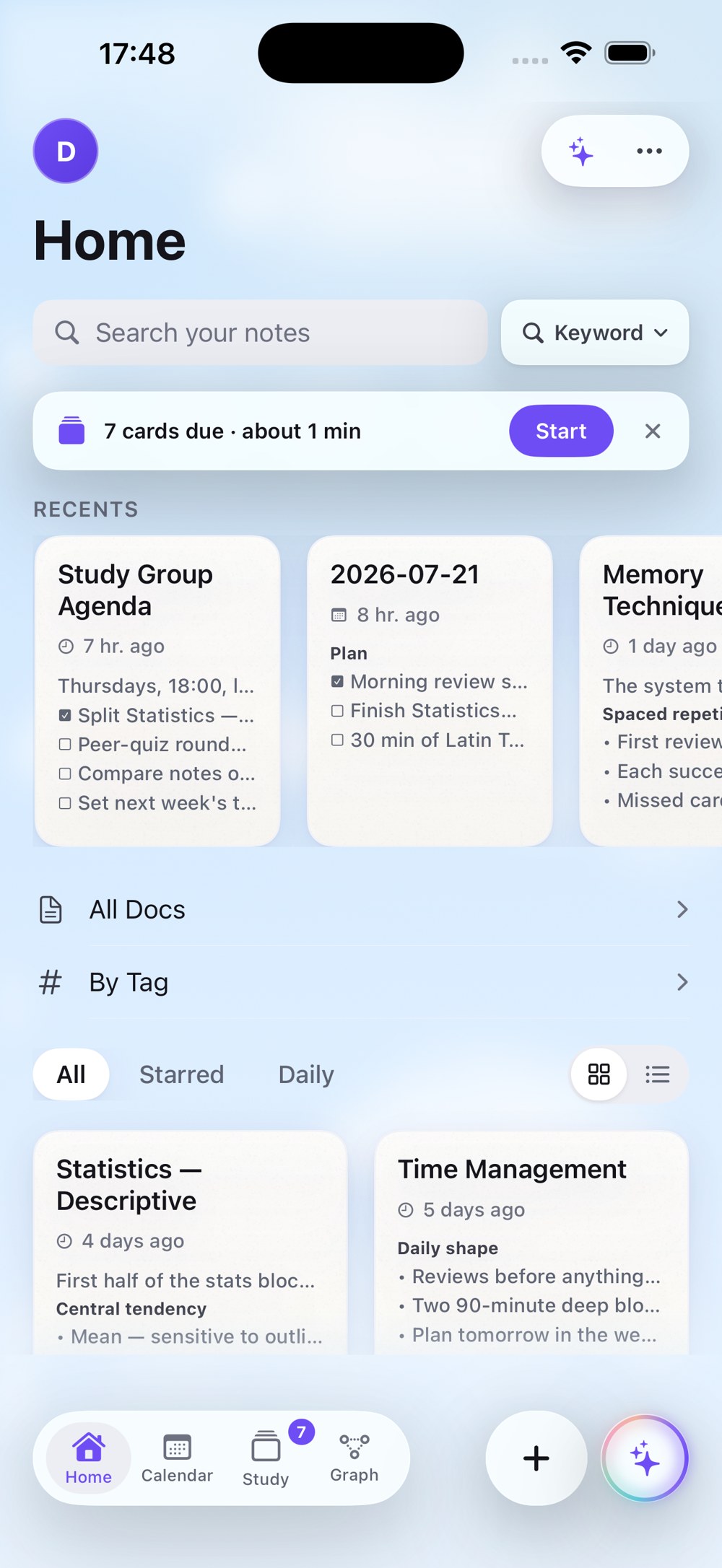
Your notes never touch our servers.
Most apps promise not to look at your data. Lampira can’t look: there is no Lampira cloud behind this app. Your notes live on your device — and, if you turn on sync, in your own private iCloud. We run no note servers: no database to breach, no “anonymized insights”, nothing to sell.
iCloud sync happens between your devices and your Apple account — we never see it. The optional account never sees the content of a note or a card — only which card you reviewed, when, and the grade. Every claim above is written into the privacy policy.

What happens in your light stays in your light.
One line becomes a flashcard.
No separate deck app. No copy-paste. Mark a phrase right where you wrote it — Lampira does the rest.
Write
Take notes like you always do. Headings, lists, tasks, photos — a block editor that keeps pace with a lecture.
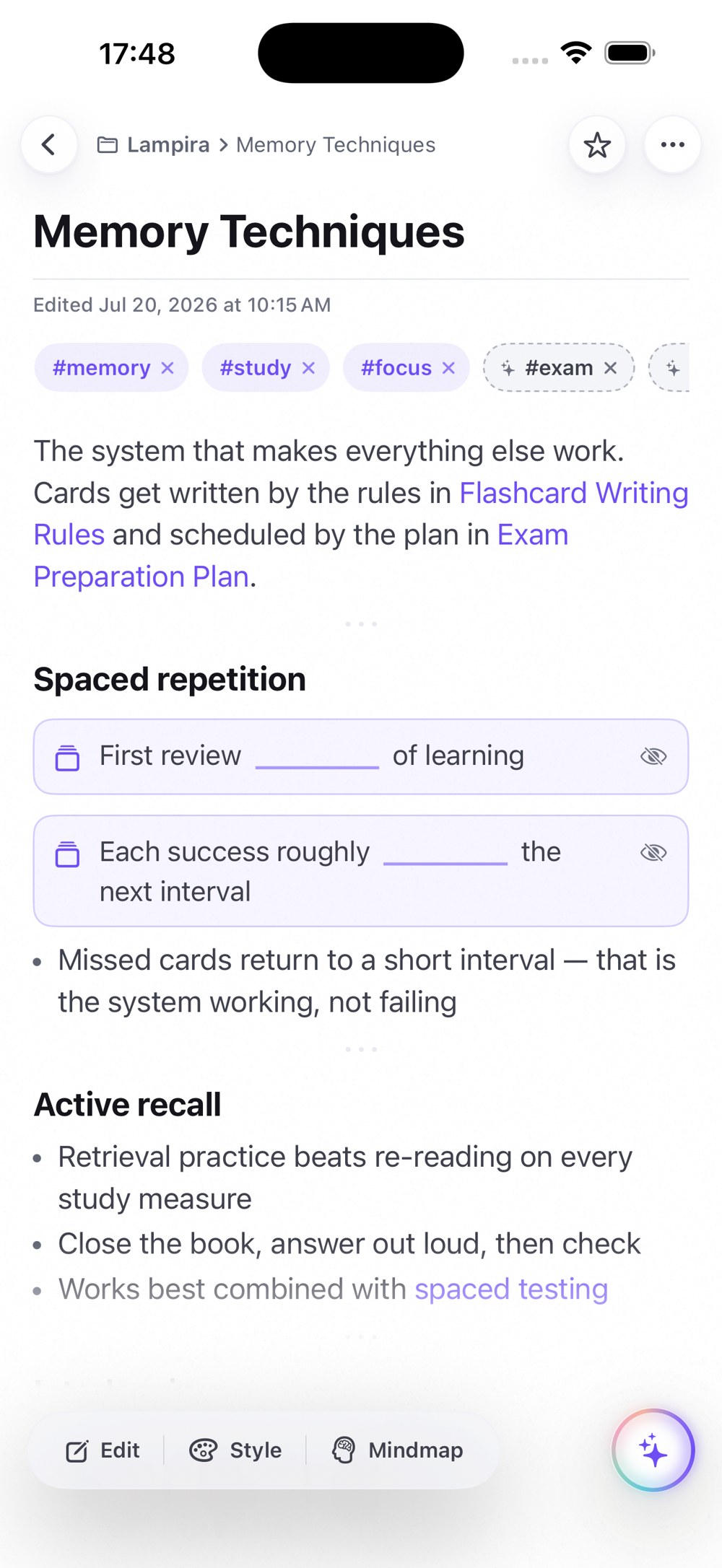
Mark
Wrap a phrase in {{double braces}} — it becomes a cloze card in place. Or let AI draft cards from the whole note; you approve every one.
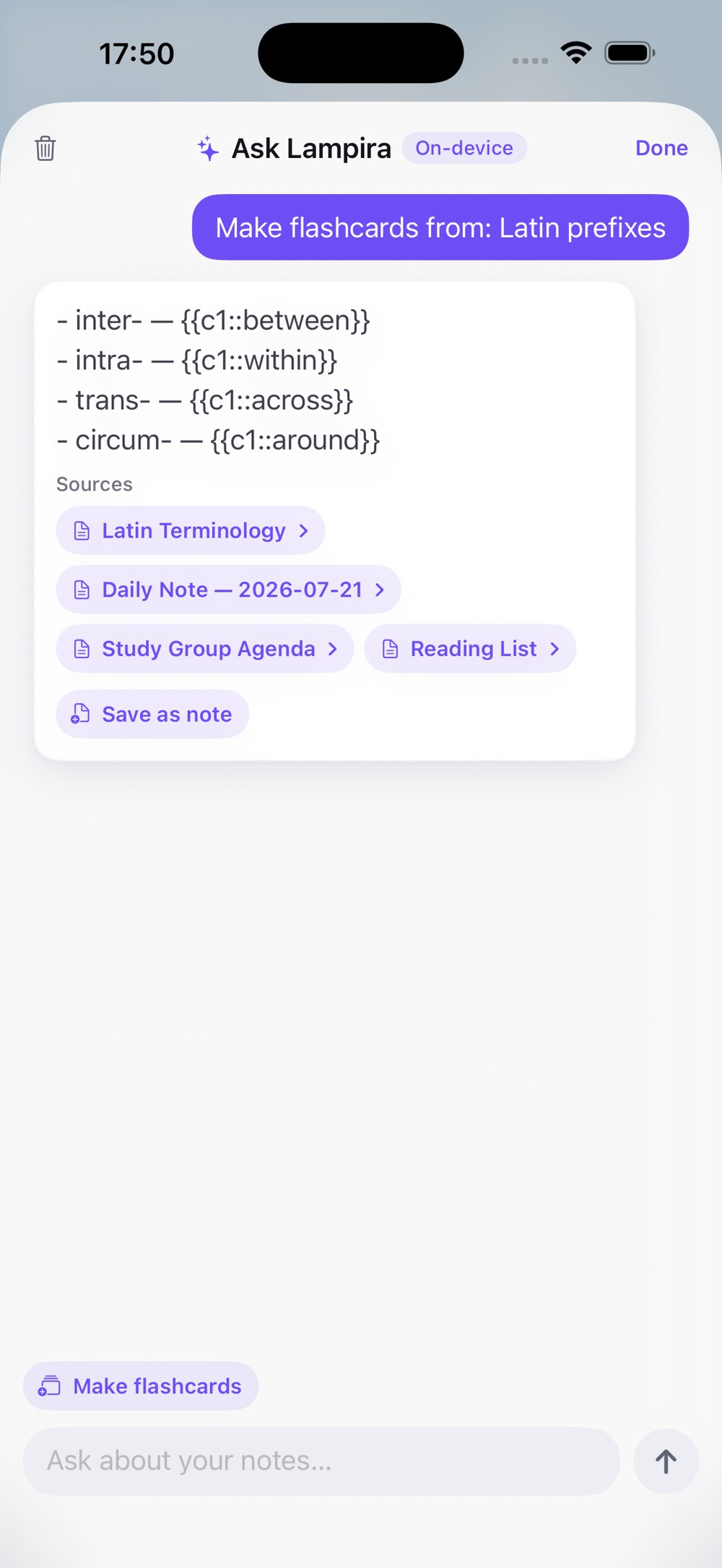
Review
Cards come back right before you’d forget them. Grade with a tap — Again, Hard, Good, Easy — and FSRS reschedules.
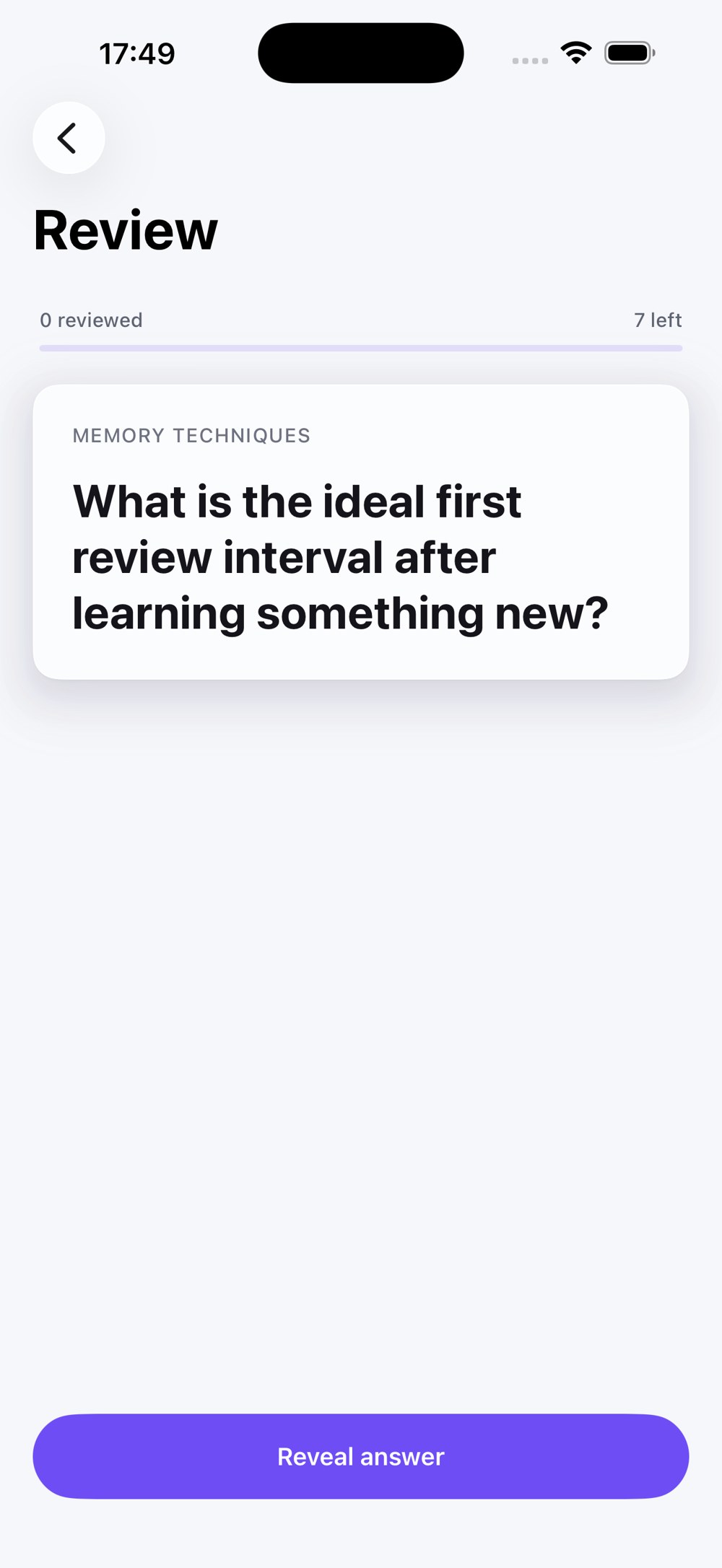
FSRS decides when. You just show up.
The modern scheduling algorithm serious flashcard users switch to — built in, zero setup, zero plugins. Every card is scheduled right on your device.
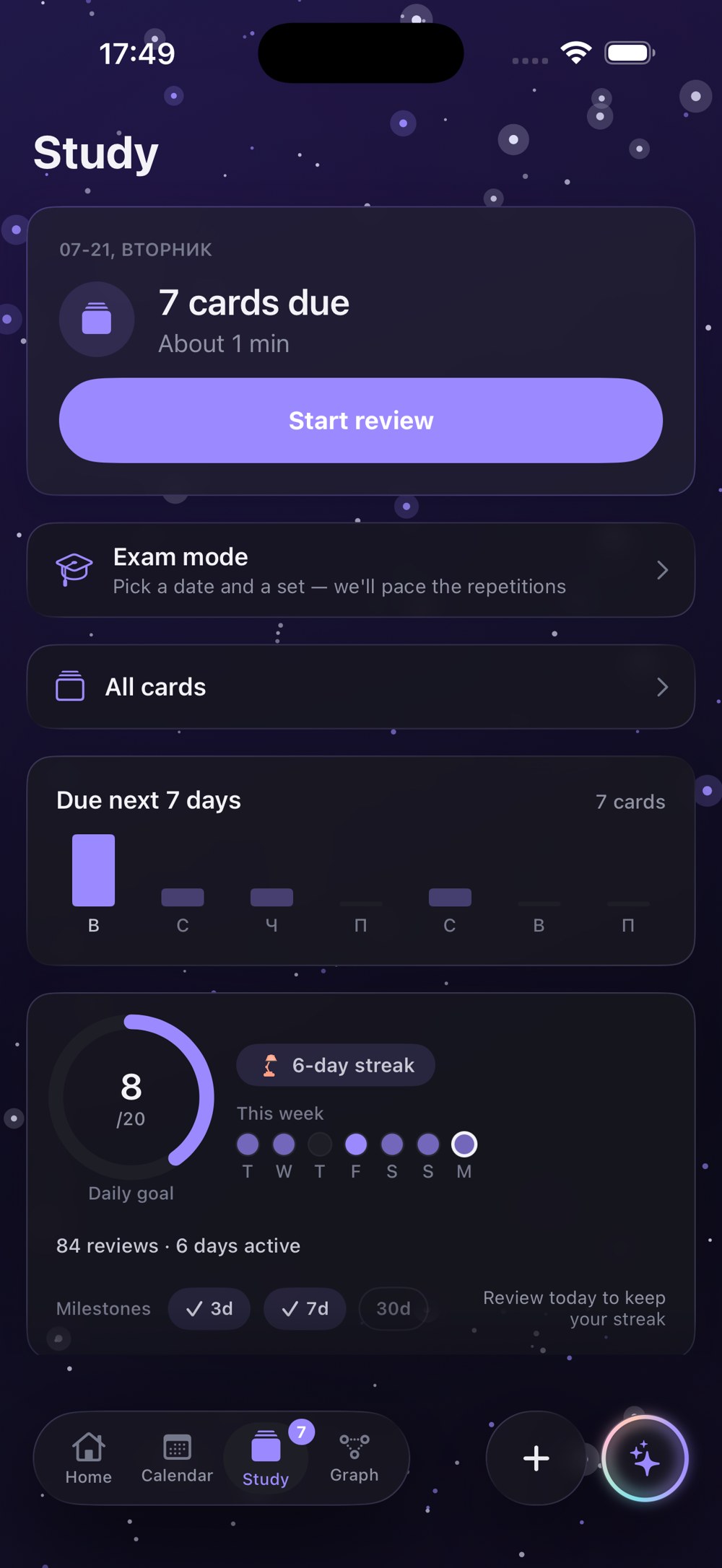
An exam date becomes a daily plan.
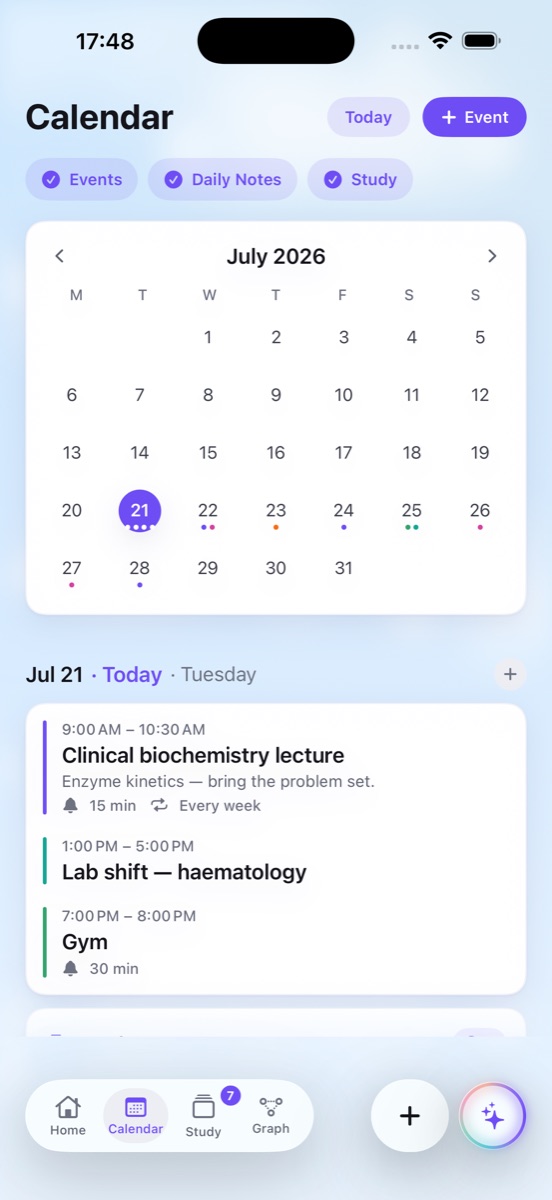
Pick the cards, set the date — Lampira builds an honest schedule that has every card ready on the day, not crammed the night before. And it lives next to a real calendar, so the plan survives contact with your week.
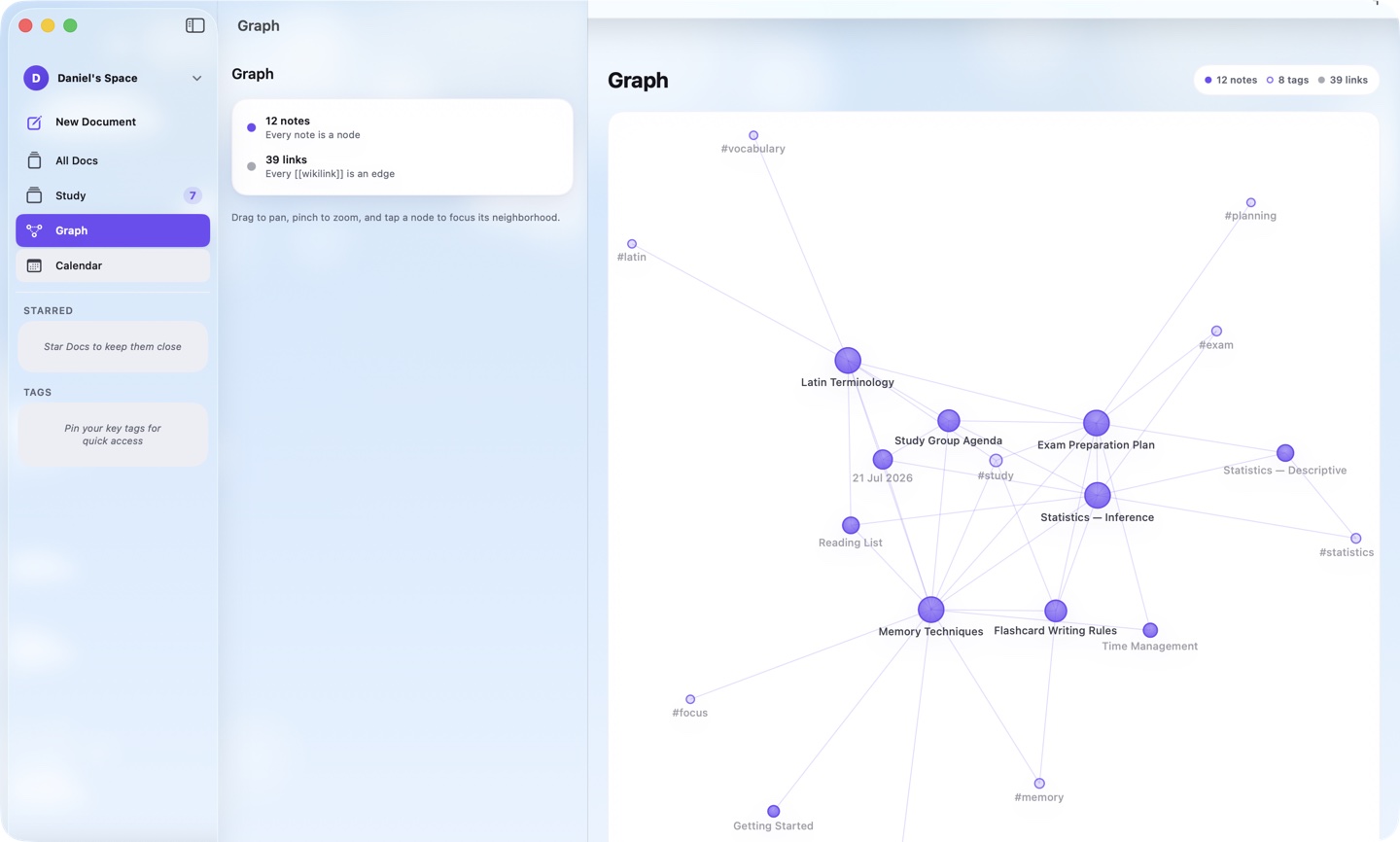
Watch a subject become a map.
Link two notes with [[wikilinks]] and the map starts drawing itself.
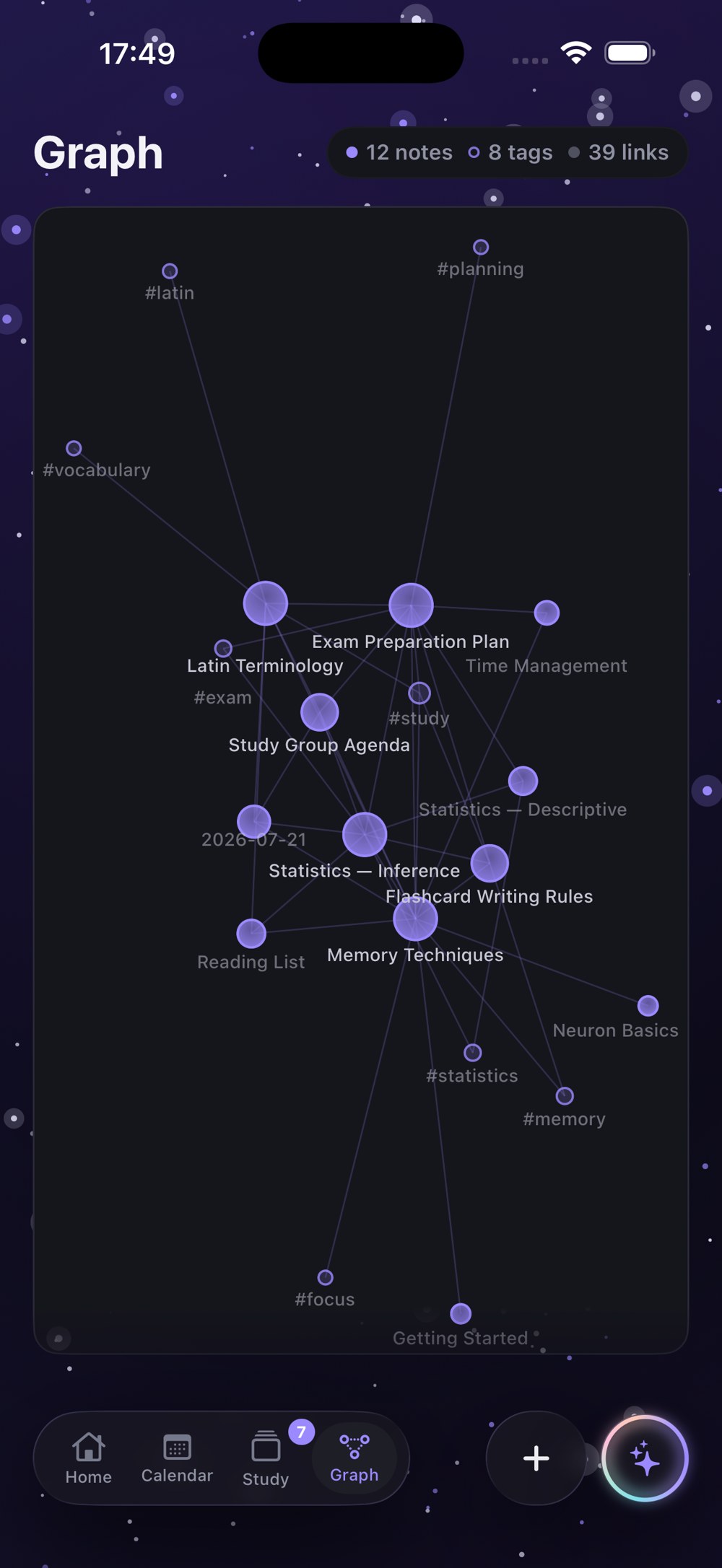
A knowledge graph, included
Every note is a node; one tap jumps straight in. Your subject stops being a pile of files and becomes territory you can see.
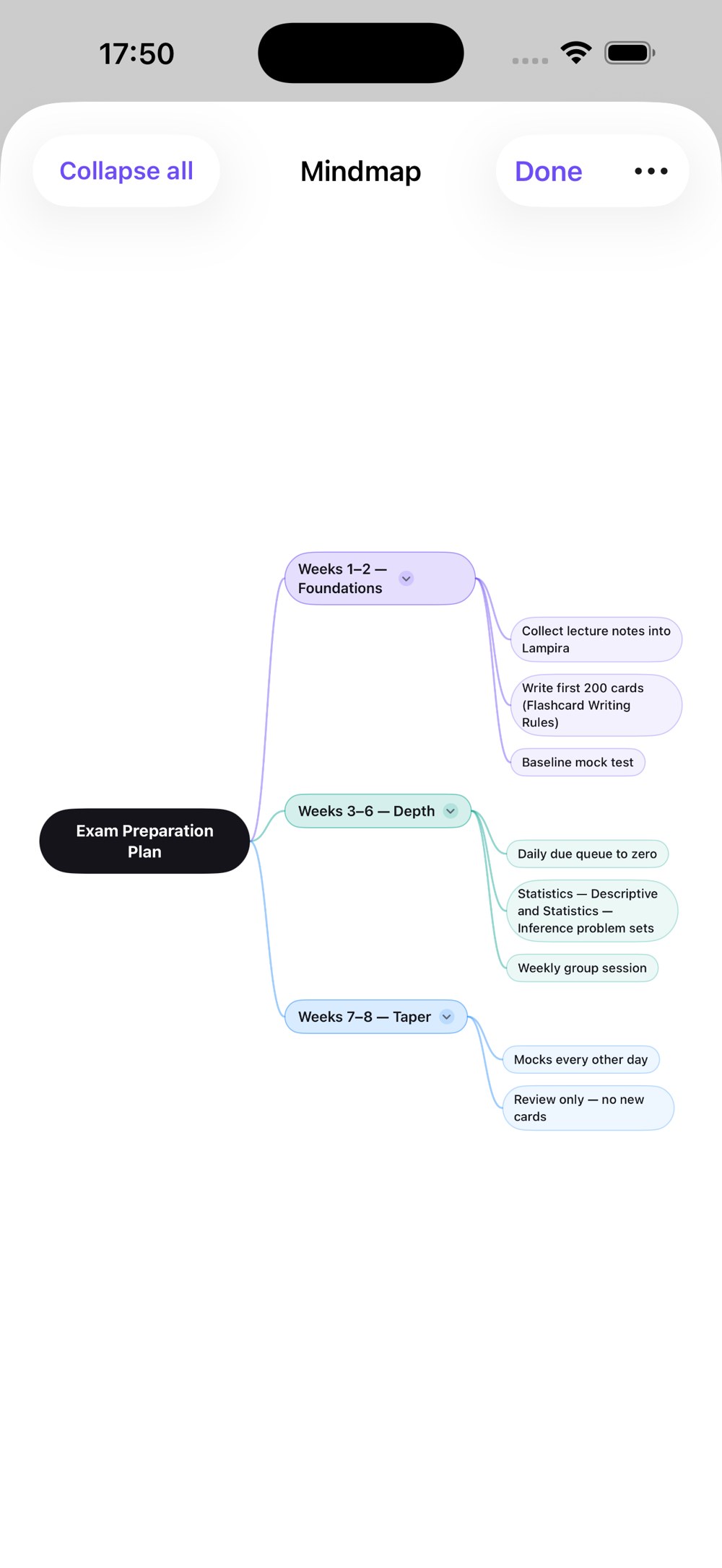
Mindmaps, zero extra work
Any note unfolds into a collapsible mindmap — headings become branches, bullets become leaves. Collapse what you know, expand what you don’t.
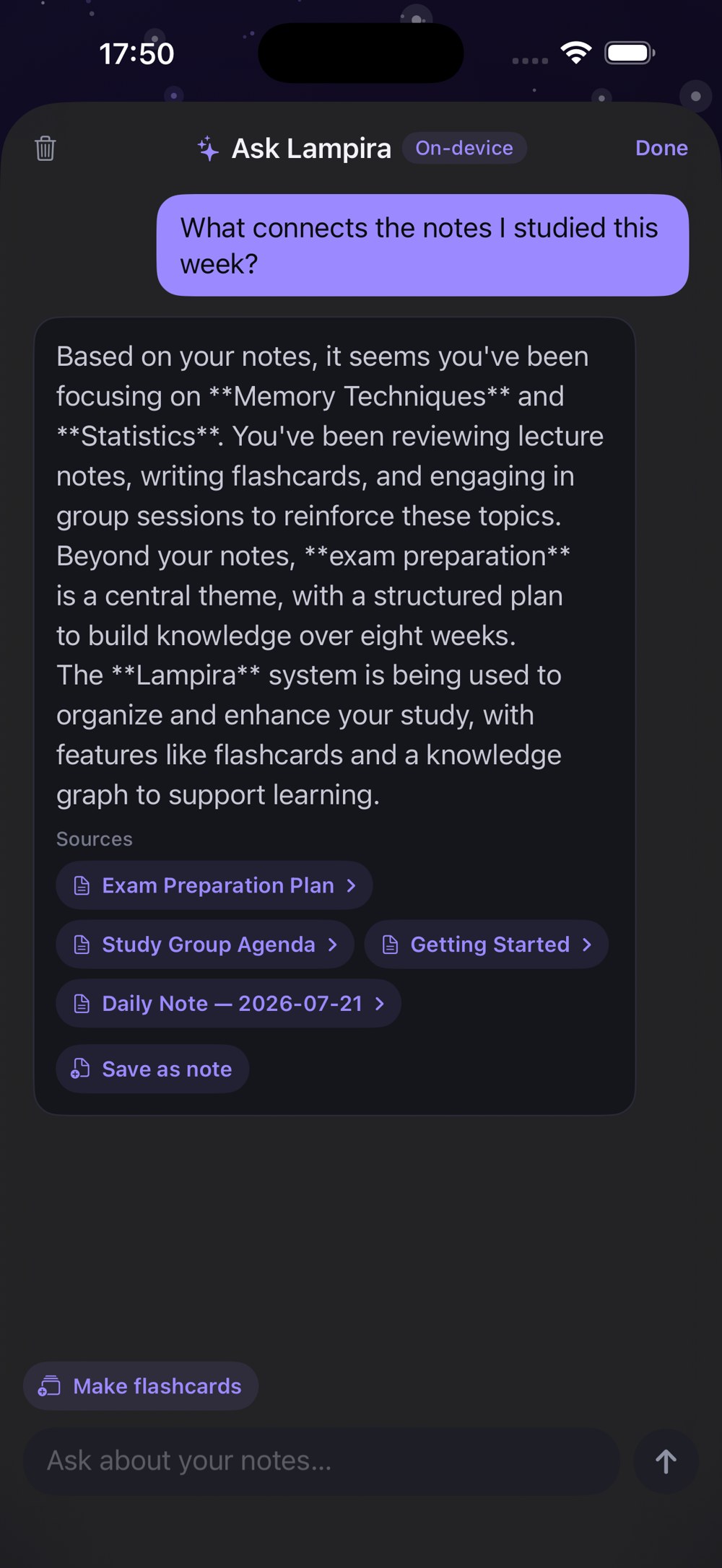
You choose which AI — and where it runs.
Card drafts, summaries, answers about your own notes. From the chip in your hand to your own AI accounts — you pick the model, and nothing is sent anywhere until you invoke it.
Apple Intelligence
On eligible iPhones, iPads and Macs, the model runs on the chip already in your hand. Notes in, cards out — nothing leaves the device. How to turn it on →
Ollama & LM Studio
Point Lampira at a free model on your own Mac or PC over Wi-Fi. Any OpenAI-compatible server works. Setup guide →
Your own provider
Bring an API key — Gemini or any OpenAI-compatible service. It lives in the system Keychain and talks straight to the provider you chose; we are never in the middle.
MCP connector
Live now: add Lampira to Claude (even on the free plan), ChatGPT (paid plans) or Grok, and work with your notes right in the chat you already use — under your agreement with the provider. Connection guide →
Bring everything — in an afternoon.
Decks and notes from wherever you study today land as native Lampira cards and pages, not attachments.
Speaks your language
The interface ships in 14 languages, each named in its own script — the same list you'll find in Settings:
One reminder a day
At your hour, with your due-card count — and quiet hours it never crosses. Nothing else, ever.
Offline by default
Native SwiftUI, local-first. Reviews, editing, graph, mindmaps — everything works with no connection at all.
Pages you’ll want to reopen.
Covers, paper tints, full-page backdrops, two voices of type. A page you styled is a page you come back to — and coming back is the whole game.
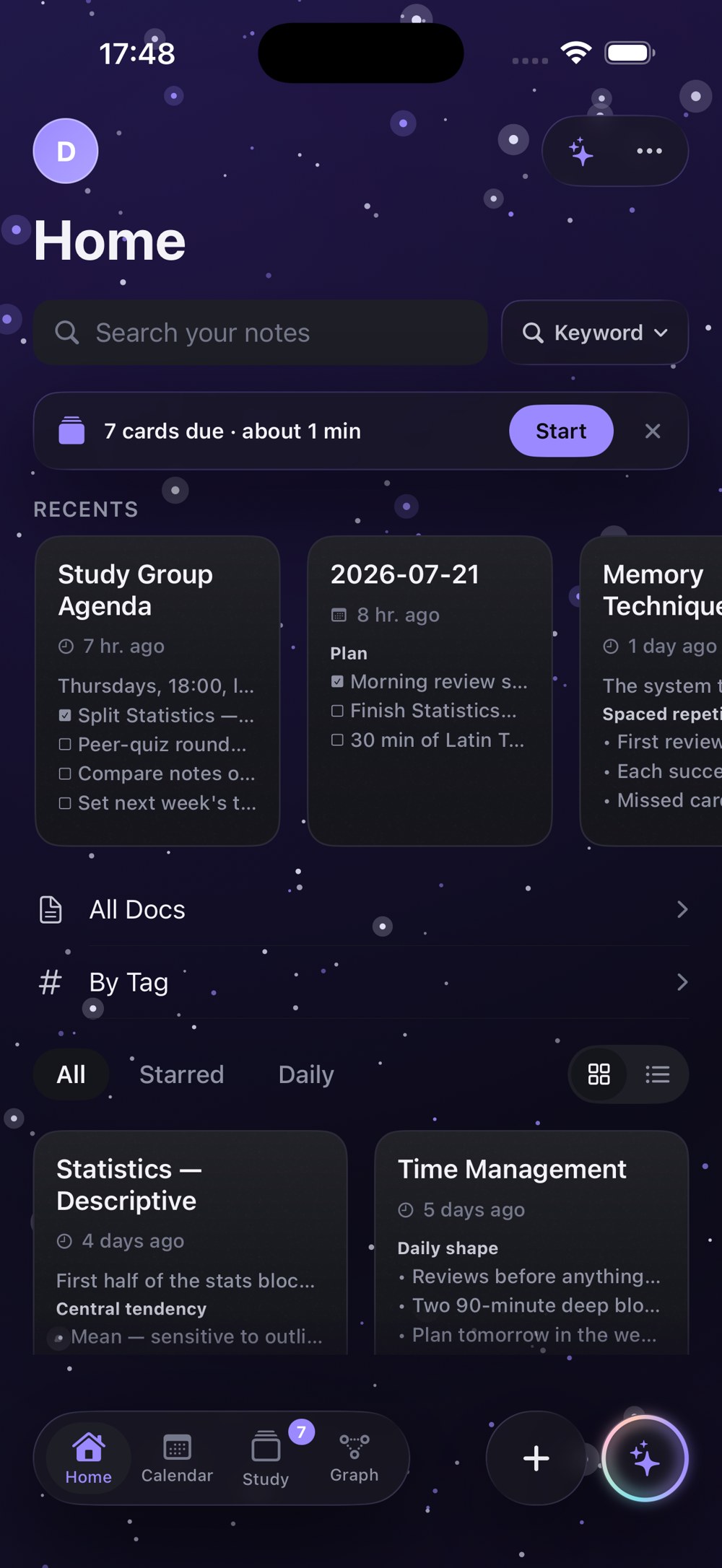
Backdrops that set the mood
Give a subject its own atmosphere — golden hour for literature, deep blue for statistics. Your library ends up looking like a desk you want to sit at.

Covers, papers, typefaces
Nine covers, nine papers, two voices of type — Modern and Bookish. Three taps, and a plain note becomes a page with a personality.
At home on the Mac.
The same app, grown up for a big screen. One click opens a note full-window; the tool panel appears when you edit and gets out of the way when you read. Graph, mindmaps, flashcards and the calendar — all native, all offline, synced with your iPhone through your own iCloud.
Built differently — on purpose.
Not a feature list — a set of decisions. Every claim below is verifiable in the app you'll hold.
Privacy you don't have to trust
There is no Lampira cloud to leak. Notes live on your device; the optional account syncs review history only. The privacy policy says exactly this, in plain words.
Support from the person who wrote the code
Email support@lampira.space and you reach the maker, not a ticket queue. The help center covers the setups people actually ask about: Apple Intelligence and local models.
Real Anki import
.apkg decks land as native Lampira cards — not attachments. RemNote, CSV, TSV, Markdown and plain text come along too.
AI that never needs the network
Apple Intelligence on the chip in your phone, or a local model on your own computer. And if on-device AI is off, Settings explains exactly why — and how to fix it.
Reminders with manners
One notification a day, at your hour, with quiet hours it never crosses — and a second nudge only if you switch it on yourself.
14 languages, no subscription
The whole interface, English to 한국어. Lampira is simply free today — there is nothing to subscribe to yet, and nothing will ever be charged without your explicit confirmation.
One app, three screens
iPhone, iPad and Mac — the same notes, cards and calendar, synced through your own iCloud. Write at the desk, review in the queue.
An exam plan, not a guilt trip
Choose the cards, set the date — exam mode paces the repetitions so every card is ready on the day. And it tells you honestly when a date is too close.
Fair questions.
How do I get Lampira?
Lampira is heading to the App Store — the submission is being prepared now. Write to support@lampira.space and we'll get you access right away — exactly one email, no waitlist ranks, no reminder campaigns.
Is it really free?
Yes — today, fully. If paid plans ever arrive, features you already use free won't silently turn paid, and nothing is charged without your express confirmation. That promise is written into the terms.
Where exactly are my notes stored?
On your device — and, if you turn on sync, in your own private iCloud, under your Apple ID. There is no Lampira cloud. The optional account syncs only review events: which card you reviewed, when, and the grade. Never the content.
Does it sync between my devices?
Yes — through your own iCloud. iPhone, iPad and Mac see the same notes, cards and calendar, and the review schedule follows you. We run no sync servers, so we never see what syncs.
Is there a Mac app?
Yes — a full native Mac app, not a wrapped website. Same notes, graph, mindmaps, flashcards and calendar, built for a big screen and a keyboard.
Can I bring my Anki decks?
Yes. .apkg files import as native Lampira cards, ready for FSRS scheduling. RemNote, CSV, TSV, Markdown and plain text work too.
Does the AI see my notes?
Only the AI you choose, and only when you invoke it. Apple Intelligence runs on the device and sends nothing anywhere; a local model receives your request over your own Wi-Fi; an MCP connector answers inside your own Claude, ChatGPT or Grok account. Nothing is sent anywhere until you ask.
Lampira is coming to the App Store.
Lampira is native SwiftUI — fast, offline, at home on iPhone, iPad and Mac. The App Store submission is on its way — write to us and get access today, free.
Every build opens with a demo: sample notes and flashcards, no account, no sign-up. Grade a few cards, unfold a mindmap, poke the graph — and exit whenever you like.
One email with your access — nothing else; we don’t even have the servers to spam you. An account stays optional (it syncs review history only), with Sign in with Apple built in.